Quick answer:
- Whole folder or mixed file types: Batch Print Software queues every printable file with one Add folder click
- Up to 15 files of one type: select them in File Explorer, right-click and choose Print
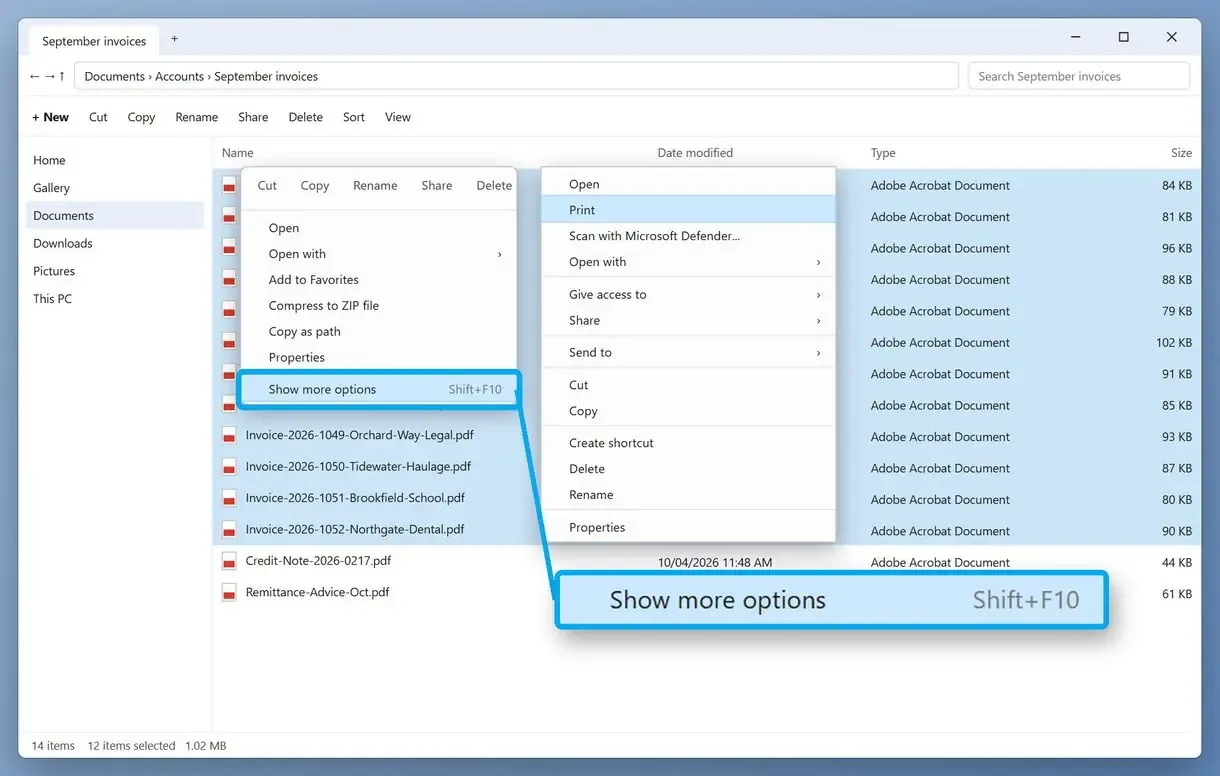
- Windows 11: right-click, choose Show more options, then Print
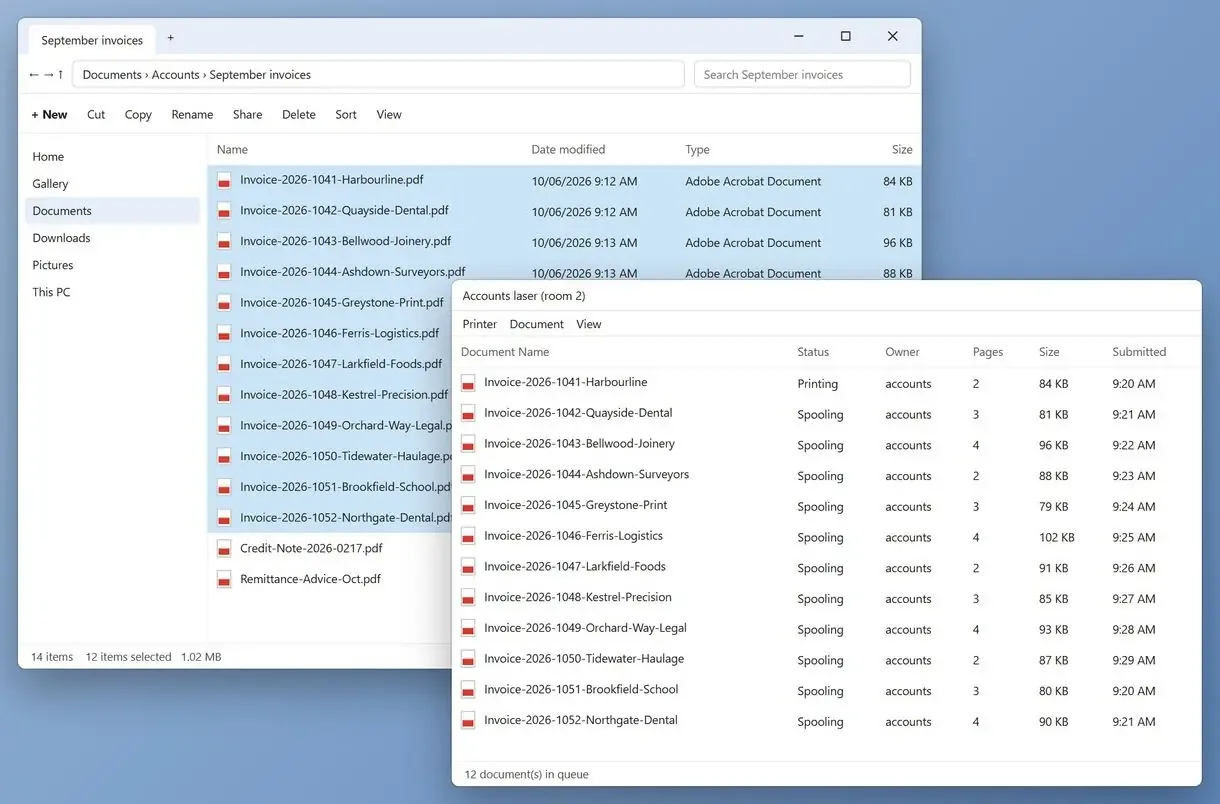
Select a bunch of files beyond Explorer's limit or mix a PDF into a Word selection, and right-click Print stops working. In a scans folder split into monthly subfolders, it prints only the top-level files.
In this guide
- Print queue app: the folder and its subfolders in one queue
- File Explorer: up to 15 files of one type with right-click Print
- Windows 11: Print is under Show more options
- Subfolders: use the batch queue or a PowerShell loop
What you need
- Batch Print Software for whole folder trees with mixed file types
- A Windows 10 or 11 PC with your printer installed
- The folder you want on paper
- About 10 minutes for a first run
How to print all files in a folder with a print queue app
Batch Print Software queues every printable file in a folder and its subfolders, including PDFs mixed with Word files. You can print them in one run without opening files by hand or following File Explorer's 15-file limit and one-type rule.
One office worker needed to print about 50 PDFs without handling each individually. PDFs use the program's own engine, so no reader opens. Word and Excel files use Office if installed; otherwise, DOCX and XLSX use a built-in reader that skips headers and footers. EML and MSG emails print without Outlook.
Right-click Print in File Explorer
- 15 files at most per selection
- One file type at a time
- No files from subfolders
- Goes to the last used printer
Print queue app
- The whole folder, subfolders included
- Mixed file types in one queue
- Skipped files listed with a reason
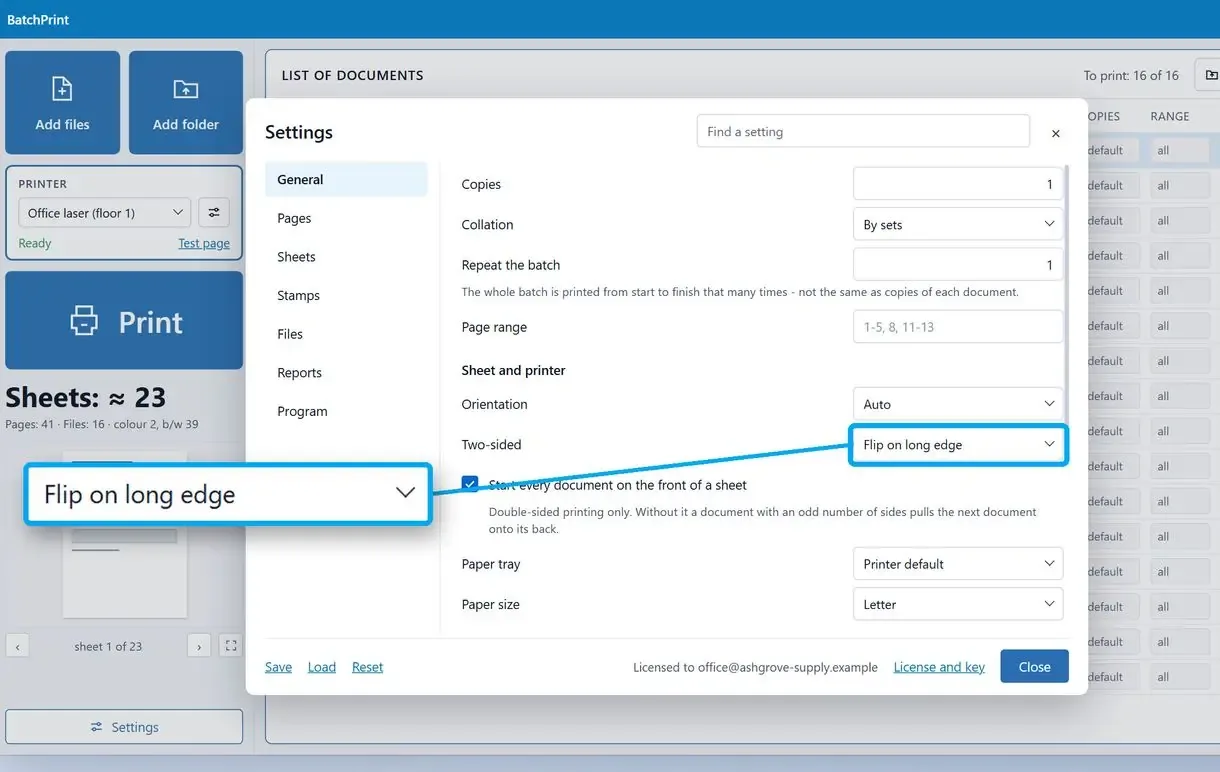
- Printer and duplex set once for the batch
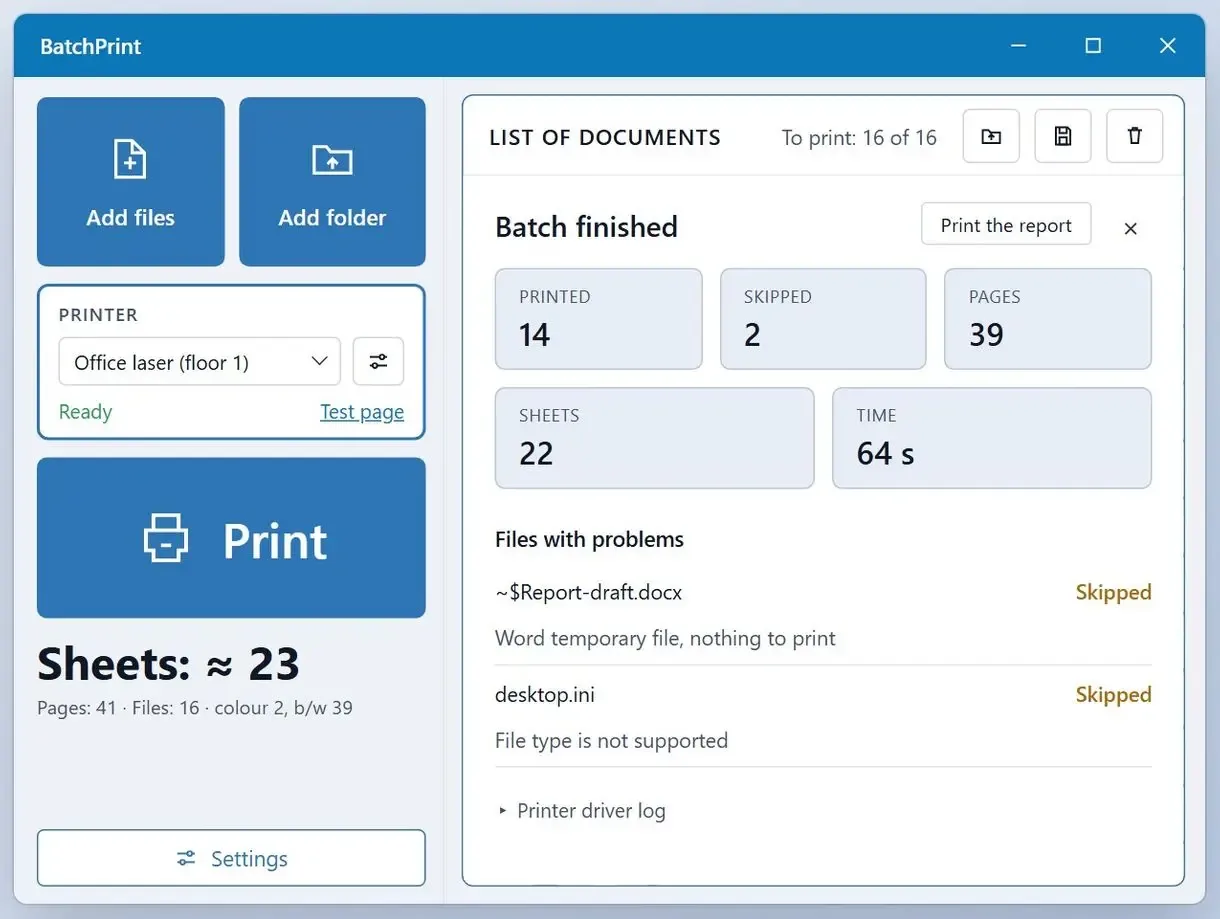
How to print a folder with the queue app in three steps
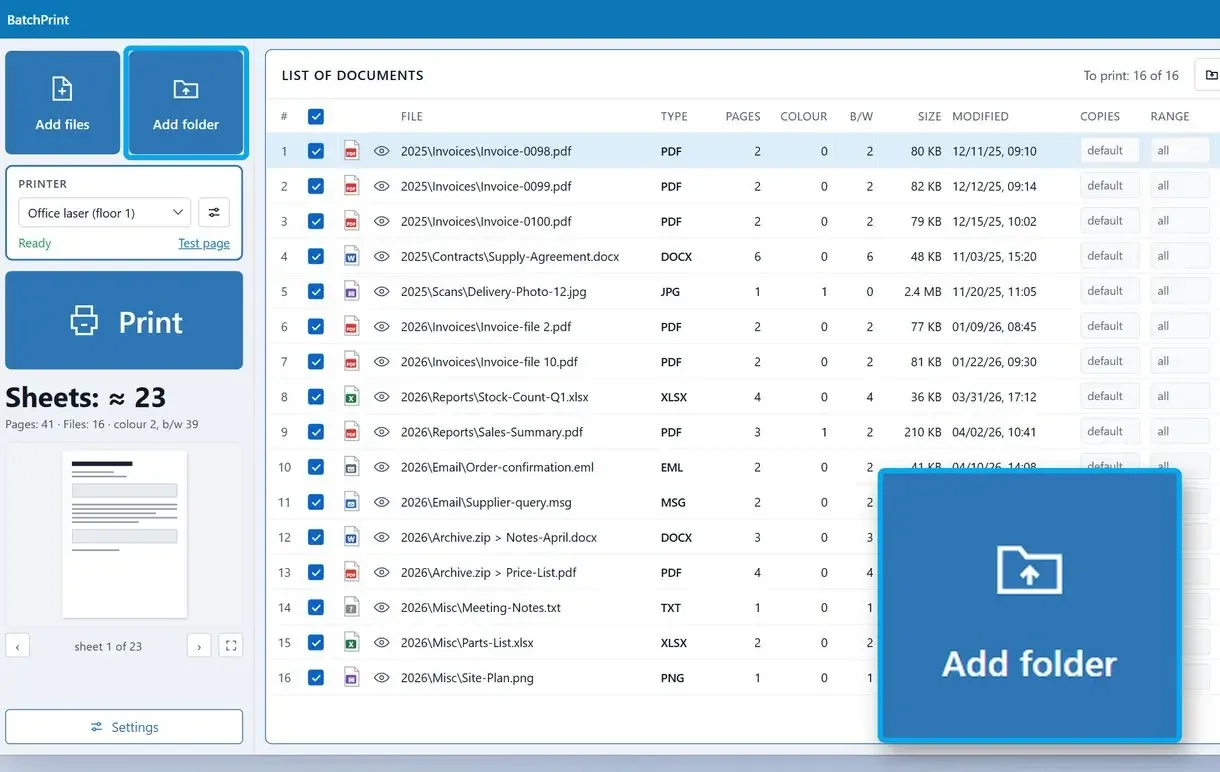
Click Add folder and choose the folder
Click Add folder or drop the folder onto the window. Files from subfolders and ZIP archives join the queue.
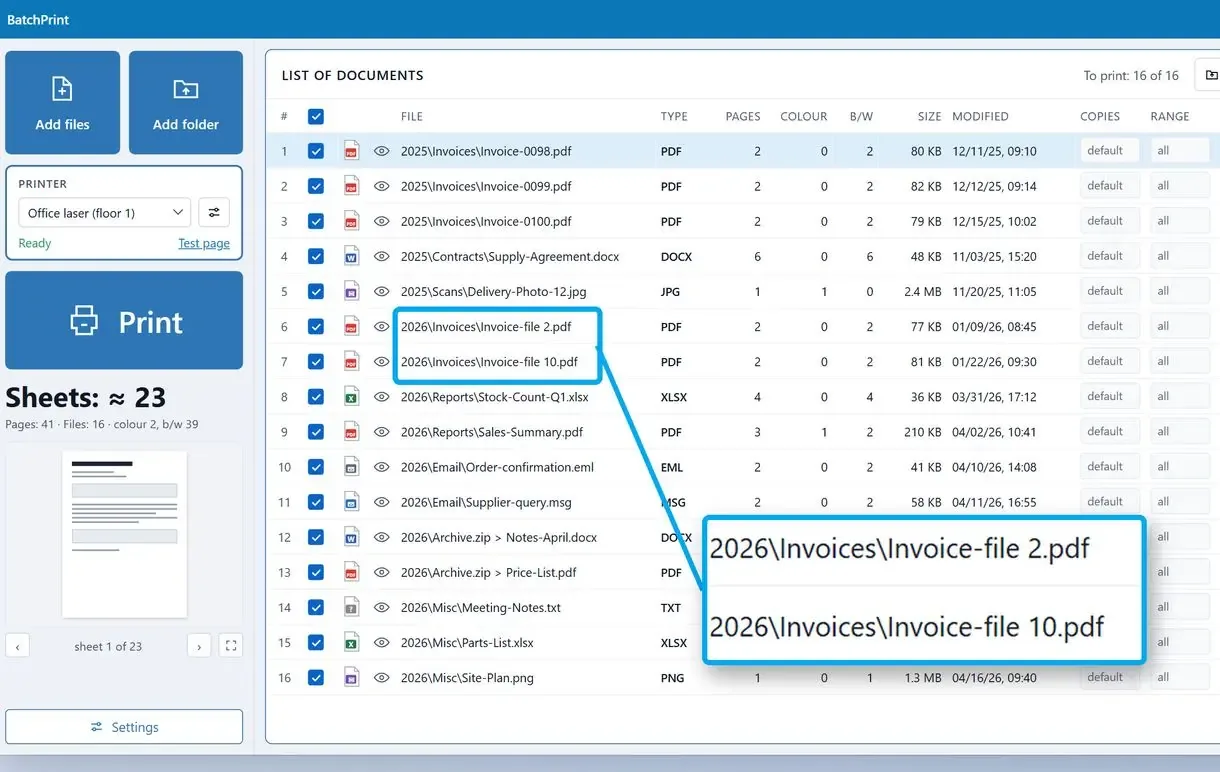
Check the order and the skipped list
The queue sorts by full path in natural order: file 2 comes before file 10. Unsupported files, such as Word temp files or desktop.ini, appear in the skipped list with a reason.
Pick the printer and click Print
Choose the printer and sheet settings, then click Print. The report lists each file's status.
How to print multiple files at once from File Explorer
Select up to 15 files of the same type, right-click one and choose Print. Windows opens each in its default program and prints it, without having to install anything.
- Open the folder and sort by Type to group files of one kind.
- Click the first file, hold Shift and click the last one, up to 15 files.
- Right-click the selection and choose Print.
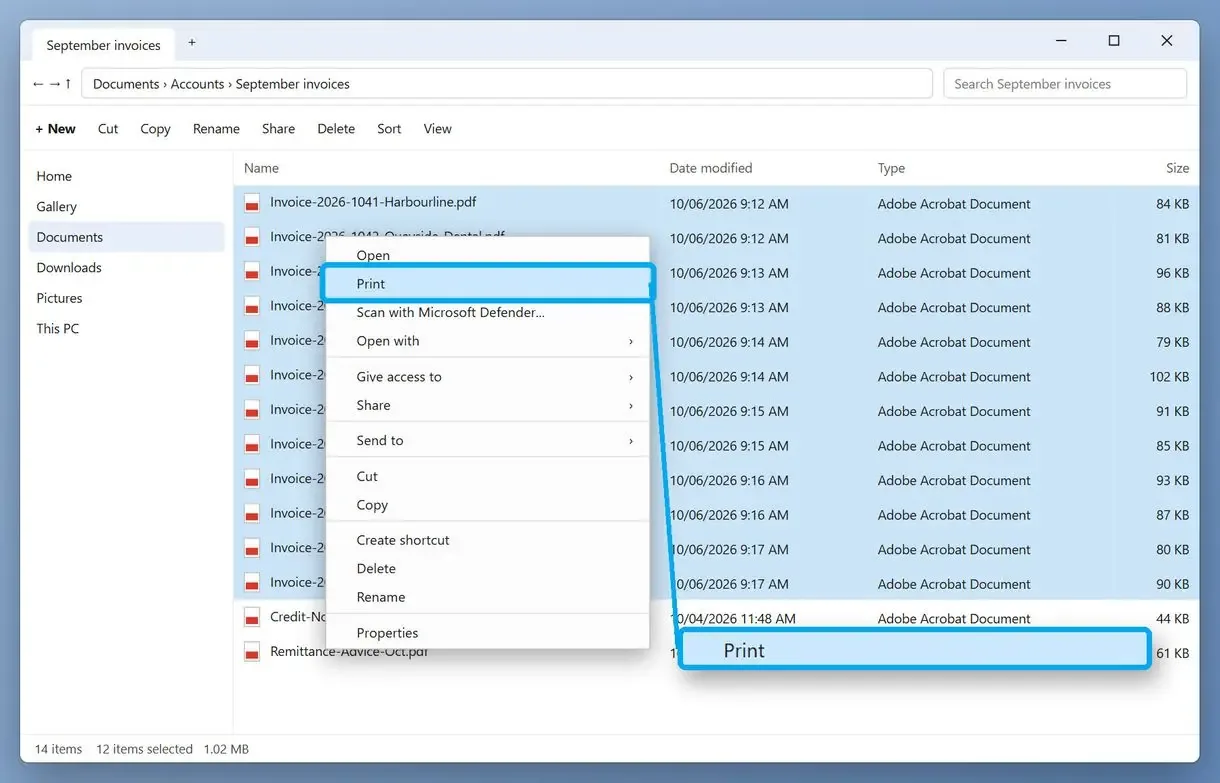
Files go to the last printer used without a printer dialog, so set the correct default before printing. A GeekChamp guide to bulk printing notes that Ctrl-clicks print in click sequence, while a Shift range follows the order the files happen to be in the folder.
Why does Print disappear when you select more than 15 files?
File Explorer hides Open and Print when you select more than 15 files, a Microsoft guard against launching many files by accident. You can raise the limit with a registry value; to open more than 16 documents, set it above your selected file count.
MultipleInvokePromptMinimum is a DWORD under HKCU\Software\Microsoft\Windows\CurrentVersion\Explorer, with a default of 15. Winaero's write-up shows the same cut-off in Windows 10. With a little hack, setting it to 16, you restore the menu, though Windows still opens no more than 16 files. Set it above your selection, say 100, to open them all.
Microsoft advises raising the value only to a reasonable number in a controlled environment. An IT support blog that tested it hit a long stall while Word started, and some readers saw no effect. Export the Explorer key before editing it.
Why is Print missing for PDFs or mixed file types?
Explorer shows Print only for a selection of one file type. For PDFs, the default PDF app must add it. Mixing Word and PDF files removes the option, even when each prints alone.
One user found that a Word-only selection printed fine until adding a PDF made Print disappear. PCWorld confirms the rule for any mix and notes that .exe or .mp3 files have nothing to print. Group files by type and print each group separately. For Word files, follow the steps to print multiple Word documents at once.
How to print all documents in a folder in Windows 11
In Windows 11, right-click the selected files and choose Show more options to find Print in the classic context menu. If that item is hidden, press Shift+F10. PDFs still need a default PDF app that adds Print.
Right-clicking through Show more options to Print is the easiest way to do this, with the same limits as Windows 10. One Windows 11 user found Quick Print was no longer available. Another saved over 30 PDF attachments from one email to a folder and still saw no Print, so had to open every file.
How do you print all files in a folder and subfolders?
File Explorer prints only selected files. For subfolders, use a print queue app that walks the tree or a PowerShell loop. Batch Print Software always includes subfolders when you add a folder.
A person who needed a whole folder tree printed said right-clicking every file would take too long. At 15 files per selection, 200 files across a dozen subfolders means 14 rounds of selecting and printing.
For the free PowerShell route, Get-ChildItem -Recurse lists the files and Start-Process with the PrintTo verb sends each to the printer. Set the printer name and point it to the directory:
$printer = "Office Printer"
Get-ChildItem -Path "C:\Scans" -Recurse -Filter "*.pdf" | ForEach-Object { Start-Process -FilePath $_.FullName -Verb PrintTo -ArgumentList "`"$printer`"" }
We have not tested this script. Each file type's default app must support PrintTo, so results vary by PC. The Start-Process reference documents -Verb.
How to print all PDF files in a folder
File Explorer prints up to 15 PDFs at a time if your PDF app adds Print to the menu. A PDF reader prints only files already open. With dozens of PDFs, Explorer can skip files or print them out of order.
One admin reported that staff selecting 2 to 50 PDFs never get them all printed. Another user's multi-file print stopped after the first 2 files following a Windows upgrade. A burst of jobs can overload the print queue and shuffle pages. An app asking a question mid-batch can stop the rest. Follow the steps to print multiple PDFs at once.
Print multiple files at once without opening them: which route holds up for 50 or 100?
For 50 to 100 files, a print queue app handles subfolders and mixed types in one run and lists every skipped file. Explorer stops at 15 per selection. A PowerShell loop has no cap but depends on each default app.
| Route | Files per run | Subfolders | Mixed file types | Printer settings |
|---|---|---|---|---|
| Batch Print Software | 10 per batch on the trial, no cap with a license | Yes, always included | Yes, any supported type | Printer, copies, duplex, pages per sheet |
| File Explorer right-click Print | 15 | No | No, one type per selection | None, last used printer |
| PowerShell PrintTo loop | No set cap, untested | Yes, with -Recurse | Where the default app supports PrintTo | Printer by name |
| PDF reader | Open files only | No | PDF only | The reader's own dialog |
For a folder with subfolders, we would skip Explorer. To spread one large image over several sheets, follow the steps to print a poster on multiple pages.
How do you print a list of files instead of the files?
In Command Prompt, run dir in the folder and send its output to a text file. Print that file for a list of names, sizes and dates.
dir > filelist.txt
Use whatever name you like; run it again with the same name and it's just going to overwrite the old list. Press Enter and it looks like nothing happened, but the file is in the folder. Open it in any editor; it doesn't have to be Notepad. One tutorial maker found the plain listing skipped every file in subfolders until a second, recursive command picked them up. A text list handles hundreds of thousands of files.
Sources
- Microsoft Learn: context menus are shortened when more than 15 files are selected - the 15-file default, the registry value and how to open more than 16 documents
- UCLA IT knowledge base: bulk print multiple files at a time - 15 files of one type per run and printing to the last used printer
FAQ
Is it possible to print all files in a folder at once?
Yes, with limits. File Explorer prints up to 15 files of one type per selection, while a print queue app takes the folder with all its subfolders in one run.
Can I print directly from a folder?
Yes. Select the files, right-click and choose Print (Show more options first in Windows 11). Each opens in its default app and goes to the last used printer.
How do I print a PDF file using File Explorer?
Right-click the PDF and choose Print. If the option is missing, the app set to open PDFs does not offer it, so open the file and print from there.
Is there a way to print all PDFs that are open at once?
Only inside a PDF reader, for files already open. To print PDFs without opening them, select up to 15 in File Explorer or add the folder to a print queue app.
How to print multiple files at once on Windows?
For a few dozen files of one type, print 15 at a time from File Explorer. For mixed types or subfolders, add the folder to a print queue app, which lists any skipped file.
Why does a multi-file print skip files or change order?
Ctrl-click selections print in click order, Shift ranges in folder order. A burst of jobs can overload the print queue, and an app asking a question mid-batch can stop the rest.
How many files does the queue app print on the trial?
The trial prints 10 files per batch and 100 in total, with no time limit or watermarks. A license removes both caps.